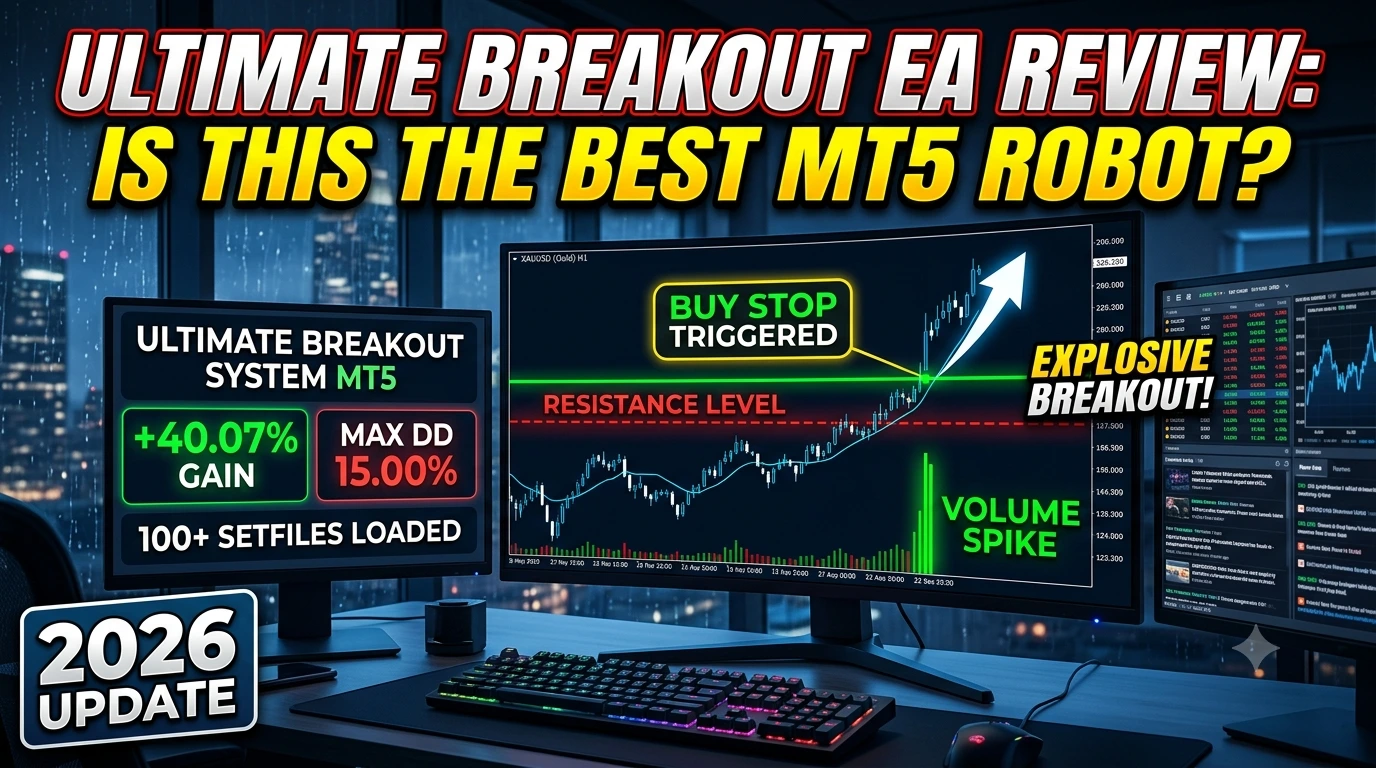
Looking to capture explosive market moves right as they happen? Ultimate Breakout System MT5 has quickly become one of the most talked-about Expert Advisors (EAs) on MetaTrader 5. Whether you trade Forex majors, Gold, or Crypto, trading breakouts without emotional bias is crucial.
In this deep-dive review, we break down how the Ultimate Breakout System MT5 works, analyze its real-time performance metrics, explore its key features, and give you a simple guide on how to deploy its 100+ included setfiles.

What Is Ultimate Breakout System MT5?
Ultimate Breakout System MT5 is a fully automated Expert Advisor built for MetaTrader 5. Rather than locking you into a single asset or fixed rule set, it functions as a configurable breakout framework.
The EA automatically scans the market to identify critical support and resistance levels. When momentum builds and price forcefully breaks out of these boundaries, the system executes precision entries using pending orders to capture the move early while avoiding slippage.
+------------------------------------------------------------------------+
|                     BREAKOUT DETECTED ABOVE RESISTANCE                  |
|                                                                        |
|  Resistance Level  ---------------------------------- [ Buy Stop Triggered ]
|                                                      /                 |
|  Price Action      ~~~~~~~~~~~/~~~~~~~~~~~~~~~~~~~~~/                  |
|                              /                                         |
|  Support Level     ---------/----------------------------------------- |
+------------------------------------------------------------------------+
With over 100 pre-configured strategy setfiles bundled in, traders can instantly deploy tested settings across multiple asset classes without spending weeks on manual optimization.
Verified Performance Breakdown
Track record verification is crucial when evaluating any automated trading system. Here is a snapshot of verified live/demo account performance metrics for this EA:
| Metric | Recorded Value | Notes |
| Gain | +40.07% | Steady compounding return |
| Net Profit | $2,464.35 | Realized profit gains |
| Max Drawdown | 15.00% | Controlled equity curve drop |
| Initial Deposit | $5,381.68 | Stable base balance |
Key Takeaway: A 15% maximum drawdown alongside a +40.07% return demonstrates strong risk-to-reward management, avoiding aggressive recovery mechanisms like high-risk Martingale grids.
Recommended Trading Currency Pairs & Specs
The system works across a broad range of liquid assets. While flexible, certain instruments yield the most consistent breakout volatility:
Top Recommended Pairs
Precious Metals: Gold (
XAUUSD)Forex Majors:
EURUSD,GBPUSDCryptocurrencies:
BTCUSDIndices & Commodities: US30, DE40, Crude Oil
Specifications Overview
Specification Details Trading Platform MetaTrader 5 (MT5) Automation Level Fully Automated Primary Timeframe H1 (Supports M30–H1 depending on setfile) Minimum Deposit $500 recommended Leverage 1:100 or higher Risk Control Hard Stop Loss & Take Profit per trade Execution Pending Orders (Buy/Sell Stops) VPS Compatibility Highly Recommended Key Features & System Architecture
1. 100+ Ready-Made Setfiles
Skip the steep learning curve. The EA includes over 100 pre-built strategy files tailored to distinct instruments, timeframes, and market conditions.
2. Pending Order Execution
Instead of chasing market orders during peak volatility (which causes excessive slippage), the EA places precise Buy Stop and Sell Stop orders right outside established consolidation zones.
3. Advanced Trailing Stop Engine
Secure profits dynamically using multiple custom trailing methods:
Standard Point-Based Trailing
Time-Based Decay Exits
Support/Resistance Dynamic Trailing
Aggressive Volatility Lock-in
4. Multi-Asset Portfolio Building
Because you can run multiple charts simultaneously with different magic numbers and setfiles, you can create a diversified portfolio to smooth out overall drawdown.
Trading Strategy Breakdown: How It Trades
[ Market Consolidation ] ➔ [ Support/Resistance Defined ] ➔ [ Pending Orders Placed ] ➔ [ Breakout Momentum ] ➔ [ Dynamic Trailing Exit ]Zone Identification: The algorithm tracks historical swing highs and lows to build dynamic support and resistance channels.
Order Placement: Pending orders are queued just past key levels to capture immediate momentum.
Execution & Risk Filtering: Once triggered, a hard Stop Loss and Take Profit are applied immediately. Volatility filters confirm the move isn't a fakeout.
Active Trade Management: As the trade moves into profit, dynamic trailing stops lock in gains step-by-step.
Best Settings & Optimization Guide
While setfiles provide plug-and-play convenience, understanding the core input parameters helps you tailor risk to your exact account size:
[Inputs Menu]
 ├── Risk Management
 │    ├── Lot Sizing Mode: [ Fixed / Risk % per Trade ]
 │    └── Maximum Daily Drawdown Limit: [ Enabled ]
 ├── Breakout Parameters
 │    ├── Sensitivity Threshold: [ Auto / Custom ]
 │    └── Volatility Filter: [ True ]
 └── Exit Rules
      ├── Dynamic Trailing Stop: [ Enabled ]
      └── Time Expiration Exit: [ True ]
Essential Backtesting Guidelines
For Gold (
XAUUSD) & Majors: Run default settings on the H1 timeframe.Testing Mode: Use "Every tick based on real ticks" in MT5 Strategy Tester for scalping/breakout setups to account for real market spread and slippage.
Fast Optimization: Use "1 minute OHLC" to quickly evaluate macro-level trends before fine-tuning with tick data.
Step-by-Step Installation Guide
+-------------------------------------------------------------------------+
| STEP 1: Copy EA (.ex5) to MT5 /MQL5/Experts/ Folder                    |
| STEP 2: Paste Setfiles (.set) to MT5 /MQL5/Presets/ Folder              |
| STEP 3: Restart MT5 & Refresh Navigation Panel                          |
| STEP 4: Attach EA to Chart & Enable "Algo Trading"                      |
| STEP 5: Right-Click Inputs -> Load Preferred Preset File -> Click OK     |
+-------------------------------------------------------------------------+
Download & Extract: Unzip your EA files and
.setpreset files.Open Data Folder: In MT5, click File ➔ Open Data Folder.
Copy Files:
Move the
.ex5file intoMQL5/Experts/.Move your setfiles into
MQL5/Presets/.
Enable Automated Trading: Click the Algo Trading button on your top MT5 toolbar.
Attach & Load: Drag the EA onto your chart (e.g.,
XAUUSD H1), open the Inputs tab, click Load, select your desired setfile, and click OK.
Who Should Use This EA?
Ideal For:
Portfolio Traders: Those looking to run multiple diversified systems across Forex, Crypto, and Metals.
Algorithmic Testers: Traders who want a robust base framework to backtest and optimize custom breakout setfiles.
Busy Professionals: Automated execution eliminates the need to stare at charts for hours waiting for key levels to break.
Not Ideal For:
Traders looking for guaranteed high-yield, no-drawdown "get rich quick" martingale robots.
Traders unwilling to perform proper backtesting or run a dedicated Forex VPS.
Pros & Cons Analysis
Pros Cons No Dangerous Grid/Martingale: Uses hard SL on every trade. Requires basic testing to match setfiles with correct pairs. 100+ Preset Files: Instant deployment for dozens of instruments. Breakouts can suffer fakeouts during quiet consolidation. Multi-Asset Versatility: Trades Forex, Gold, Crypto, and Indices. Performance heavily relies on tight spreads and good execution. Extensive Trailing Options: Advanced exit features protect profits. Needs a low-latency VPS for optimal execution speed. Frequently Asked Questions (FAQs)
01. Does Ultimate Breakout System MT5 use Martingale?
No. The core logic relies on technical breakout patterns with fixed risk parameters (Stop Loss and Take Profit). It does not rely on unsafe lot-doubling or grid recovery strategies.
02. Can I start trading with a $500 account?
Yes. A minimum deposit of $500 is suitable if proper lot sizing (e.g., 0.01 lot per $500 or 1% risk per trade) is applied.
03. Is a VPS mandatory?
While not strictly required, a low-latency Forex VPS is strongly recommended so your pending breakout orders trigger instantly 24/5 without downtime or lag.
04. Which pair is best for beginners?
XAUUSD(Gold) andEURUSDon the H1 timeframe are popular starting points due to their liquidity and high breakout momentum.Final Verdict
Ultimate Breakout System MT5 stands out as an adaptable algorithmic framework for breakout traders. Instead of restricting you to a single asset or fixed setting, it hands you a complete toolkit backed by over 100 pre-configured strategy setfiles.
When deployed with proper risk management, a low-spread broker, and a dedicated VPS, this Expert Advisor offers a structured, emotion-free way to capitalize on major market movements across multiple asset classes.
📥 Download Ultimate Breakout System MT5 v6.0
📢 Join Our VIP Trading Community