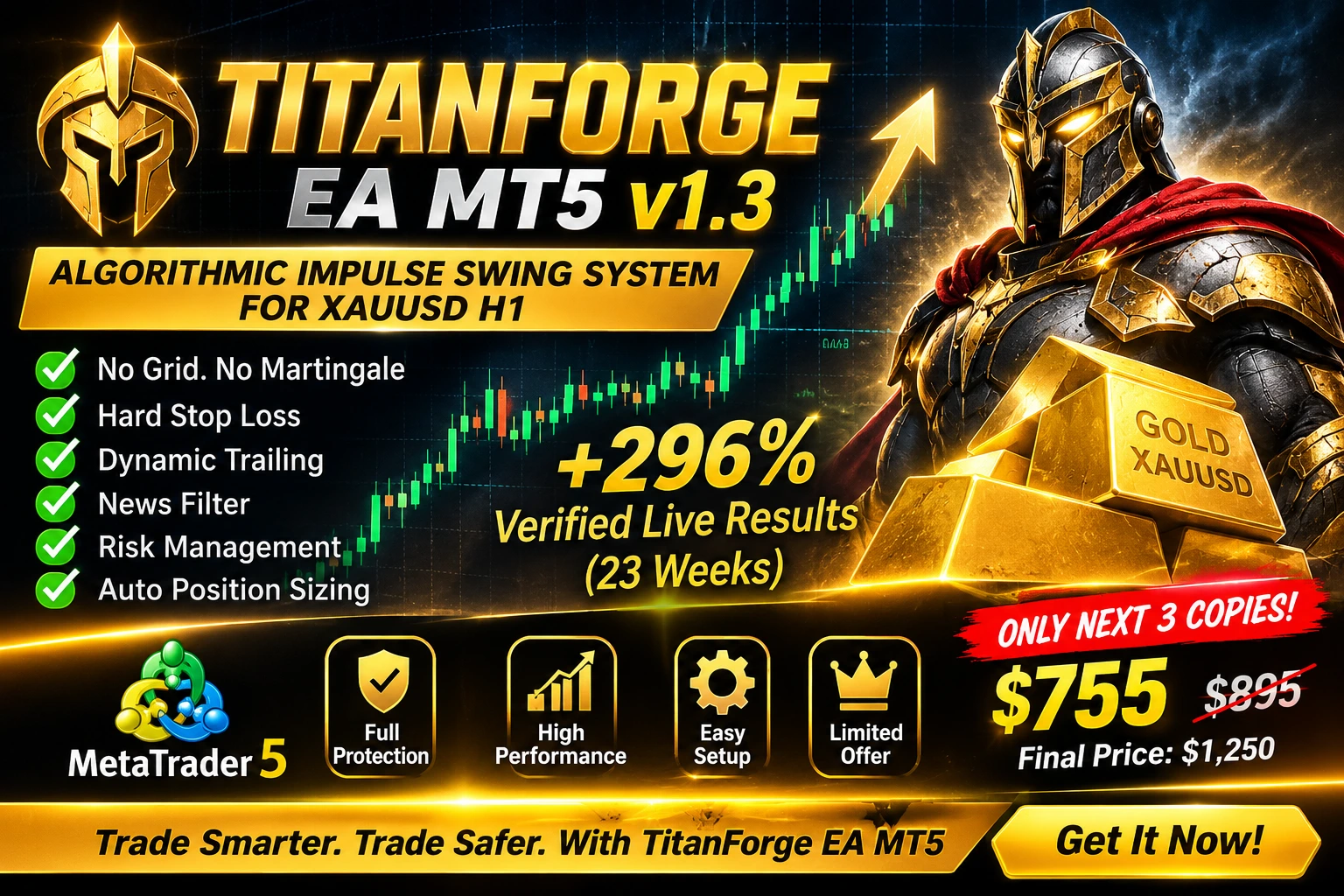
TitanForge EA MT5 v1.3 with Unlimited SET Files – Advanced XAUUSD Gold Trading Expert Advisor
TitanForge EA MT5 v1.3 is an automated Gold trading Expert Advisor (EA) developed for MetaTrader 5, using an algorithmic impulse swing strategy designed specifically for XAUUSD on the H1 timeframe.
Built around directional momentum, volatility expansion, selective market entries, and structured trade management, TitanForge EA aims to identify suitable Gold trading opportunities while incorporating predefined risk-control mechanisms.
Unlike automated trading systems that rely on Grid or Martingale techniques, TitanForge EA uses individual position management with protective Stop Loss settings and a dynamic trailing mechanism.
With automated position sizing, economic news filtering, spread protection, slippage control, and account protection features, TitanForge EA MT5 v1.3 offers a comprehensive automated trading framework.
Product: TitanForge EA MT5 v1.3
Trading Instrument: XAUUSD (Gold)
Recommended Timeframe: H1
Trading Platform: MetaTrader 5
Trading Strategy: Algorithmic Impulse Swing System
SET Files: Unlimited SET-file configurations
Trading Mode: Fully Automated
Grid: No
Martingale: No
1. Software Name
TitanForge EA MT5 v1.3 with Unlimited SET Files
TitanForge EA is an algorithmic Gold trading robot designed for traders using the MetaTrader 5 platform. It focuses on identifying selected momentum and volatility conditions on the XAUUSD H1 chart.
The EA includes integrated entry filtering, automatic volume calculation, protective Stop Loss management, dynamic trailing, and account-level trading protection.
2. Product Description – What Is TitanForge EA MT5?
TitanForge EA MT5 is an automated Forex Expert Advisor developed specifically for trading Gold (XAUUSD).
The system follows an impulse swing trading approach. It analyses market conditions and waits for selected combinations of directional momentum, volatility expansion, and price behaviour before considering a trade.
Rather than continuously entering the market, the EA is designed to be selective about trading opportunities.
Each position is managed using predefined protective and exit rules.
Why Choose TitanForge EA MT5?
Designed specifically for XAUUSD Gold trading.
Recommended H1 trading timeframe.
Fully automated trading functionality.
No Grid trading strategy.
No Martingale position multiplication.
No uncontrolled averaging.
Hard Stop Loss protection.
Integrated dynamic trailing system.
Automatic position sizing.
Configurable fixed-lot trading.
Economic news filter.
Maximum spread protection.
Slippage control.
Daily loss protection.
Overall loss protection.
Integrated on-chart information panel.
Unlimited SET-file configuration support.
TitanForge EA includes a default configuration for initial testing. Additional SET-file configurations can support different operating profiles.
3. Recommended Trading Currency Pairs
TitanForge EA is specifically developed for Gold rather than being marketed as a universal multi-currency trading robot.
| Trading Instrument | Recommendation |
|---|---|
| XAUUSD | Primary recommended instrument |
| Gold / USD | Main trading market |
| Other Forex pairs | Not officially recommended |
| BTCUSD | Not specified as supported |
| Indices | Not specified as supported |
Recommended setup: XAUUSD on the H1 chart.
Always verify your broker's symbol specifications, including suffixes, contract size, tick value, and trading conditions.
4. Main Features of TitanForge EA MT5 v1.3
4.1 Algorithmic Impulse Swing Strategy
TitanForge EA analyses directional momentum, volatility expansion, and price behaviour to identify selected trading conditions.
The system does not need to open positions continuously. It can remain inactive when its entry requirements are not satisfied.
4.2 No Grid and No Martingale
TitanForge EA does not use a Grid or Martingale trading strategy.
It is designed to manage individual positions using predefined protective parameters instead of relying on progressively increasing position sizes to recover previous losses.
4.3 Automatic Position Sizing
The automatic volume calculation feature can adjust trading volume according to the configured risk profile and account conditions.
Users can also select fixed-lot operation where supported by the EA configuration.
Automatic sizing does not eliminate the possibility of losses. Actual risk depends on the stop distance, contract specifications, account currency, and execution conditions.
4.4 Hard Stop Loss Protection
Every position is opened with a predefined protective Stop Loss.
The default protective Stop Loss distance is 1900 points.
This provides a defined exit level under normal execution conditions, although market gaps and slippage may affect the actual closing price.
4.5 Dynamic Trailing Stop
The integrated trailing mechanism follows favourable price movement after the configured profit condition is reached.
It can progressively adjust the protective Stop Loss according to the selected trailing distance.
Default trailing configuration:
Take Profit Distance: 500 points
Protective Stop Loss: 1900 points
Minimum Trailing Shift: 30 points
Trailing Distance: 140 points
These are default parameter values, not universal recommendations for every broker.
4.6 Economic News Filter
Gold prices can experience increased volatility around important economic announcements.
TitanForge EA includes a configurable news filter designed to restrict new entries around selected high-impact economic events.
Default configuration:
Before major news: 50 minutes
After major news: 50 minutes
News filtering depends on the EA's supported calendar functionality and data availability.
4.7 Spread Protection
The spread filter can prevent new entries when the current spread exceeds the configured maximum.
This feature is useful for controlling exposure during periods of spread expansion, including rollover and reduced-liquidity sessions.
4.8 Slippage Control
The EA includes configurable execution-deviation control.
The selected value determines the permitted execution deviation when supported by the broker and trading environment.
4.9 Daily and Overall Loss Protection
TitanForge EA includes account protection settings designed to suspend new trading activity when configured loss thresholds are reached.
Default protection values:
Daily Loss Limit: 5%
Overall Loss Limit: 10%
These are protection thresholds, not guarantees that actual account losses cannot exceed the specified percentages.
4.10 On-Chart Information Panel
The integrated information panel provides trading and system information directly on the MetaTrader 5 chart.
Depending on the enabled display options, it can show:
EA operating status.
Market scanning status.
Trading status.
Current spread.
Candle countdown.
Trading levels.
Execution information.
Strategy status.
The display panel can be enabled or disabled through the relevant EA input.
4.11 Unlimited SET Files
TitanForge EA MT5 v1.3 is offered with Unlimited SET-file configuration support.
SET files are MetaTrader 5 parameter configuration files used to save and load Expert Advisor input settings.
They can help organise different operating profiles, including:
Conservative configuration.
Balanced configuration.
Prop Firm configuration.
Alternative risk profiles.
Broker-specific configurations.
A SET file changes the EA's input parameters; it does not change the underlying strategy or guarantee improved performance.
5. TitanForge EA MT5 v1.3 – Complete Settings and Parameters Guide
This section explains the documented settings and their purposes.
Important: The values below are the numerical defaults supplied in the product information. The complete original Inputs screenshot or SET file is required to verify every additional parameter and its exact value. No undocumented values have been invented.
5.1 General Settings
| Parameter | Description |
|---|---|
| Display the EA information box | Enables or disables the on-chart information panel. |
| Require an additional signal before opening | Activates an additional confirmation filter. |
The additional signal option is intended to provide another entry confirmation condition. Its exact internal calculation should be checked against the EA documentation.
5.2 Position Sizing Settings
| Parameter | Description |
|---|---|
| Calculate volume automatically | Enables automatic position sizing. |
| Risk level applied to each position | Selects the automatic position-sizing profile. |
The EA also supports fixed-lot operation according to the supplied product configuration.
Do not assume a particular Risk Level number is conservative or suitable without checking the developer's parameter definitions.
5.3 Profit and Stop Loss Settings
| Parameter | Default Value | Description |
|---|---|---|
| Profit target distance | 500 points | Defines the Take Profit distance. |
| Protective stop distance | 1900 points | Defines the hard Stop Loss distance. |
| Follow price with the stop once in profit | Enabled/Configurable | Controls the dynamic trailing mechanism. |
| Minimum trailing shift | 30 points | Minimum configured trailing adjustment. |
| Trailing distance | 140 points | Distance used by the trailing mechanism. |
Point values can represent different price distances depending on the broker's symbol digits and contract specifications.
5.4 Account Protection Settings
| Parameter | Default Value | Description |
|---|---|---|
| Halt trading when loss thresholds are reached | Configurable | Activates account protection. |
| Daily loss ceiling | 5% | Configured daily loss threshold. |
| Overall loss ceiling | 10% | Configured overall loss threshold. |
These settings are intended to restrict further trading after the configured thresholds are reached.
5.5 Economic News Settings
| Parameter | Default Value | Description |
|---|---|---|
| Suspend trading during scheduled news | Configurable | Activates the economic news filter. |
| Minutes before major news | 50 minutes | Restricts new entries before selected news events. |
| Minutes after major news | 50 minutes | Restricts new entries after selected news events. |
5.6 Execution Protection Settings
| Parameter | Description |
|---|---|
| Maximum spread | Defines the maximum permitted spread for new entries. |
| Slippage control | Defines the permitted execution deviation. |
Use values compatible with your broker's execution environment. The exact default numerical values are not supplied in the available product specification.
5.7 Chart Display and Analysis Settings
TitanForge EA also includes an on-chart visual information framework.
The documented display and analysis categories include:
Information panel visibility.
Trading status.
Market scanning information.
Candle countdown.
Trading levels.
Target zones.
Structure detection.
Animated market analysis.
Individual controls, parameter names, and numerical defaults for these additional visual components must be verified from the actual Inputs window before publishing an exact setting-by-setting table.
6. Best Settings for TitanForge EA MT5
The best configuration depends on the trading account, broker, available capital, execution conditions, and the user's risk tolerance.
There is no universally best setting that guarantees profitable trading.
Recommended Initial Testing Setup
| Setting | Suggested Starting Configuration |
|---|---|
| Trading Platform | MetaTrader 5 |
| Trading Symbol | XAUUSD |
| Timeframe | H1 |
| Trading Method | Automated |
| Position Sizing | Carefully configured fixed lot or automatic sizing |
| Stop Loss | 1900 points default |
| Take Profit | 500 points default |
| Trailing Shift | 30 points default |
| Trailing Distance | 140 points default |
| Daily Loss Threshold | 5% default |
| Overall Loss Threshold | 10% default |
| News Filter | Enabled for testing |
| Spread Protection | Enabled |
| VPS | Recommended |
Suggested Configuration Profiles
Conservative Profile
Designed for users who prefer to evaluate the strategy with lower exposure. Review position sizing, maximum permitted spread, and account protection thresholds before use.
Balanced Profile
Uses a moderate position-sizing approach while retaining the available protection and execution filters.
Prop Firm Profile
Requires careful review of the relevant firm's daily drawdown, overall drawdown, news trading, weekend holding, and automated trading policies. Do not assume this EA is approved by any particular prop firm.
Higher-Risk Profile
Higher exposure can increase both potential gains and potential losses. It should not be presented as a recommended default configuration.
For all profiles, use Strategy Tester and demo testing before considering live deployment.
7. Historical Backtest Results
TitanForge EA MT5 has supplied historical backtesting information based on real-tick modeling.
Long-Term Backtest: 2020–2026
| Performance Metric | Reported Result |
|---|---|
| Testing Profile | Maximum Risk Test |
| Total Trades | 1,175 |
| Winning Trades | 1,141 |
| Losing Trades | 34 |
| Win Rate | 97.11% |
| Profit Factor | 49.69 |
| Sharpe Ratio | 11.86 |
| Recovery Factor | 90.87 |
| Relative Drawdown | 36.51% |
Recent Market Backtest: 2025–2026
| Performance Metric | Reported Result |
|---|---|
| Risk Level | 4 |
| Total Trades | 349 |
| Winning Trades | 344 |
| Losing Trades | 5 |
| Win Rate | 98.57% |
| Profit Factor | 53.98 |
| Sharpe Ratio | 29.64 |
| Relative Drawdown | 32.18% |
These are developer-supplied historical testing figures, not independently verified guarantees.
The high historical win rates should be evaluated alongside drawdown, average win and loss, trade distribution, testing period, and execution assumptions.


8. Verified Live Monitoring – MQL5 Signal
TitanForge EA provides a public MQL5 Signals monitoring reference for independent performance review.
MQL5 Signal:
https://www.mql5.com/en/signals/2388935
Reported monitoring information supplied with the product:
| Metric | Reported Value |
|---|---|
| Monitoring Period | 23 weeks |
| Account Growth | Approximately +296% |
| Net Profit | +$14,803.70 |
| Initial Deposit | $5,000 |
| Maximum Equity Drawdown | Approximately 14.1% |
| Maximum Deposit Load | Approximately 10.2% |
| Algo Trading | 100% |
MQL5 signal statistics can change as new trading activity takes place.
Visit the original signal page to inspect the current account statistics, trading history, equity development, and drawdown information.
Past live results do not guarantee future performance.
9. Recommended Trading Environment
For initial testing and evaluation, the following environment is specified.
| Requirement | Recommendation |
|---|---|
| Trading Platform | MetaTrader 5 |
| Main Symbol | XAUUSD |
| Timeframe | H1 |
| Minimum Balance | Approximately $300 for fixed 0.01 lot, subject to broker conditions |
| Recommended Balance | $1,000+ for evaluating automatic risk sizing |
| Account Type | ECN, Raw Spread, or Pro |
| VPS | Recommended |
| VPS Latency | Below approximately 20–30 ms where possible |
The stated balances are product setup guidelines, not assurances that these balances are sufficient or safe for every user.
A VPS close to the broker's trading server may improve connection stability. It cannot eliminate execution delays, slippage, or market risk.
10. Installation Instructions – How to Install TitanForge EA MT5
Follow these steps to install TitanForge EA on MetaTrader 5.
Step 1: Install MetaTrader 5
Download and install the official MetaTrader 5 desktop platform from your broker or MetaQuotes.
Step 2: Obtain TitanForge EA MT5
Obtain the authorised TitanForge EA MT5 v1.3 product files and installation instructions.
Step 3: Open the Data Folder
Open MetaTrader 5.
Select File.
Click Open Data Folder.
Open the MQL5 folder.
Open Experts.
Step 4: Install the Expert Advisor
Copy the authorised TitanForge EA file into the Experts directory.
If the supplied product uses an MQL5 Market activation or another protected distribution method, follow the corresponding installation instructions rather than manually copying protected files.
Step 5: Restart or Refresh MetaTrader 5
Open the Navigator panel.
Right-click Expert Advisors and select Refresh.
Confirm that TitanForge EA appears in the available Expert Advisors list.
Step 6: Open the Gold Chart
Open Market Watch.
Locate your broker's Gold instrument.
Open the XAUUSD chart.
Select the H1 timeframe.
Check whether your broker uses a symbol suffix such as XAUUSD.a or GOLD.
Step 7: Attach TitanForge EA
Drag TitanForge EA onto the XAUUSD H1 chart.
Review the Inputs tab and configure the available parameters.
Step 8: Load a SET File
If a SET file is supplied:
Open the EA Inputs tab.
Select Load.
Locate the required SET configuration.
Load the selected file.
Review every parameter.
Confirm that the settings are suitable for your broker and account.
Step 9: Enable Automated Trading
Check the EA's required permissions and MetaTrader 5 Algo Trading settings.
Only enable live trading after completing the necessary testing and configuration checks.
Step 10: Monitor Performance
Review the Experts and Journal tabs for execution errors, rejected orders, spread conditions, and other messages.
Begin with historical testing and a demo environment before considering live use.
11. Who Should Use TitanForge EA MT5?
TitanForge EA may be relevant to:
MetaTrader 5 users researching automated Gold trading systems.
Traders interested in XAUUSD H1 swing strategies.
Experienced users who want configurable automated position management.
Users who want to evaluate systems with integrated Stop Loss and trailing functionality.
EA users interested in saving and loading multiple SET configurations.
Technically experienced users who understand broker execution conditions and leveraged trading risks.
It may not be suitable for beginners who expect guaranteed profits, users who cannot afford potential losses, or anyone who does not understand the risks of leveraged trading.
12. Pros and Cons of TitanForge EA MT5
Advantages
Specifically designed for XAUUSD.
Recommended H1 timeframe.
No Grid strategy.
No Martingale strategy.
Hard Stop Loss functionality.
Dynamic trailing management.
Automatic position-sizing option.
Economic news filter.
Spread and slippage protection.
Daily and overall loss protection.
On-chart information panel.
Unlimited SET-file configuration support.
Public MQL5 monitoring reference.
Historical backtesting information supplied.
Limitations
Focused primarily on Gold rather than a wide range of currency pairs.
Performance can differ significantly between brokers.
Gold can experience sudden volatility and execution slippage.
H1 strategies may require patience between entries.
VPS hosting introduces an additional operating cost.
Historical win rates do not guarantee future results.
The reported backtest drawdowns require careful consideration.
Additional parameter values should be checked against the original Inputs documentation.
13. TitanForge EA MT5 Reviews
Performance Transparency
One of the important evaluation points for TitanForge EA is the availability of a public MQL5 Signals reference.
Potential buyers can inspect the published signal information rather than relying exclusively on promotional screenshots.
Strategy Design
The product specification describes a momentum-based Gold trading approach with predefined Stop Loss management, dynamic trailing, and account protection features.
Configuration Flexibility
The Unlimited SET-file offering is intended to make it easier to save, load, and organise different parameter configurations.
Buyer Review Policy
Actual customer reviews should be collected from verified purchasers.
Do not use invented testimonials, fabricated star ratings, or claims of guaranteed customer profits. Display genuine buyer feedback when available.
14. Frequently Asked Questions – TitanForge EA MT5
Q1. What is TitanForge EA MT5?
TitanForge EA MT5 is an automated Expert Advisor designed for XAUUSD Gold trading on MetaTrader 5 using an algorithmic impulse swing strategy.
Q2. Which timeframe is recommended?
The recommended timeframe is H1 (1-hour chart).
Q3. Which trading instrument does TitanForge EA support?
The supplied product specification identifies XAUUSD Gold as its primary trading instrument.
Q4. Does TitanForge EA use Martingale?
No. The documented strategy does not use Martingale position multiplication.
Q5. Does TitanForge EA use Grid trading?
No. TitanForge EA is described as a non-Grid trading system.
Q6. Does every trade have a Stop Loss?
The product specification states that each position is opened with a predefined hard Stop Loss.
Q7. Does TitanForge EA support automatic lot sizing?
Yes. It includes automatic volume calculation and configurable risk-level settings.
Q8. Does TitanForge EA include SET files?
The product is offered with Unlimited SET-file configuration support. Check the current purchase package for the exact supplied files and delivery arrangements.
Q9. Can I use different SET files?
SET files can be loaded to apply different EA input configurations, provided they are compatible with the product version.
Q10. What are the default Stop Loss and Take Profit distances?
The documented defaults are 1900 points for Stop Loss and 500 points for Take Profit.
Q11. Does TitanForge EA have a news filter?
Yes. The documented default news-filter configuration is 50 minutes before and 50 minutes after selected major news events.
Q12. Does TitanForge EA have account protection?
Yes. The supplied defaults include a 5% daily loss threshold and a 10% overall loss threshold.
Q13. What is the recommended minimum account balance?
The product information mentions approximately $300 when using a fixed 0.01 lot. This is not a guarantee of adequate capital or safe trading.
Q14. Is a VPS required?
A VPS is recommended for more consistent platform availability and connectivity, but it cannot eliminate market or execution risk.
Q15. Are the backtest results guaranteed?
No. Backtests show historical simulated performance. Actual trading results can differ.
Q16. Where can I check the live trading statistics?
You can review the supplied MQL5 Signals reference:
https://www.mql5.com/en/signals/2388935
Q17. Can TitanForge EA guarantee profits?
No. No automated trading system can guarantee profits or eliminate trading risk.
15. After Purchase – Setup Assistance
TitanForge EA comes with a default configuration for initial evaluation.
For additional configuration guidance, contact the product developer through the appropriate MQL5 communication channel.
The following account information may help when discussing configuration compatibility:
Account balance or equity.
Account leverage.
Broker name.
Account type.
Preferred operating profile.
Available configuration profile categories include:
Conservative.
Prop Firm.
Balanced Growth.
Higher Risk.
The suitability of any configuration must be evaluated against the user's broker, account conditions, and risk limits.
16. TitanForge EA MT5 – Final Verdict
TitanForge EA MT5 v1.3 is an XAUUSD-focused automated trading system that combines an impulse swing strategy with configurable trade management and execution protection.
Its main product features include:
Selective momentum-based trading logic.
No Grid and no Martingale.
Hard Stop Loss management.
Dynamic trailing functionality.
Automatic position sizing.
Economic news filtering.
Spread and slippage controls.
Daily and overall loss thresholds.
On-chart monitoring.
Unlimited SET-file configuration support.
The published backtest and MQL5 monitoring figures provide information for further evaluation. However, the reported drawdowns and the possibility of differences in live execution should be considered carefully.
Before using any configuration with real capital, independently assess the trading history, test the EA under your broker's conditions, and understand the potential financial losses.
17. Conclusion – Is TitanForge EA MT5 Worth Evaluating?
TitanForge EA MT5 v1.3 is designed for users interested in automated XAUUSD trading through MetaTrader 5.
Its impulse swing approach, individual trade protection, dynamic trailing system, news filter, and configurable position sizing create a structured automated trading framework.
The Unlimited SET-file configuration offering adds flexibility for users who want to save and compare different parameter profiles.
If you are researching a Gold Expert Advisor for MT5, TitanForge EA is a product worth investigating through its published documentation, historical testing information, and MQL5 monitoring reference.
Explore TitanForge EA MT5, review its trading statistics, and evaluate its configuration carefully before making a purchasing or trading decision.
Product Information
Product Name: TitanForge EA MT5 v1.3 with Unlimited SET Files
Category: Forex Expert Advisors
Platform: MetaTrader 5
Instrument: XAUUSD Gold
Recommended Timeframe: H1
Strategy: Algorithmic Impulse Swing
Trading Type: Automated Trading
SET Files: Unlimited configuration support
Grid: No
Martingale: No
Current Listed Price: $755
Current Promotional Availability: Next 3 copies at the stated price, subject to actual stock and offer availability.
Subsequent Listed Price: $895
Planned Final Price: $1,250
Prices and availability should be updated whenever the actual offer changes.
Official MQL5 Monitoring: https://www.mql5.com/en/signals/2388935
Product Screenshot: https://c.mql5.com/31/2394/titanforge-ea-mt5-screen-3073.jpg

Risk Disclaimer
Forex and CFD trading involves substantial financial risk. Trading leveraged instruments can result in significant losses, including the loss of all trading capital.
TitanForge EA MT5 is software and is not a guarantee of investment returns. Historical backtests and live signal statistics are not reliable indicators of future performance.
Always evaluate the software in a demo environment, understand the broker's trading conditions, and use a risk level appropriate to your financial circumstances.
This product description is for informational purposes and does not constitute financial or investment advice.